Compare Spotify Premium and Spotify Free to discover which music streaming experience is right for you. Learn about features, audio quality, offline listening, pricing, and more on AndroidPorts.com.
Spotify’s everywhere these days — millions of songs, podcasts, and audiobooks waiting for you on pretty much any device you can think of: phones, tablets, laptops, smart TVs, even your watch. Whether you’re jamming during your commute, sweating it out at the gym, or just hanging out at home, Spotify makes finding new music and sticking with old favorites a breeze.
But here’s the thing: do you really need Spotify Premium, or is Free good enough? It’s a pretty common question, especially if you’re just getting started. Let’s break it down and see which one actually works for you.
Spotify Free: What You Actually Get
Spotify Free gets you in the door with zero commitment. You can play around with playlists, check out new artists, and stream just about anything, on any device. Sounds great, right?
The catch is, there are some pretty glaring limits that come with the free ride. Mostly, Spotify wants you to notice these pain points and nudge you into paying.
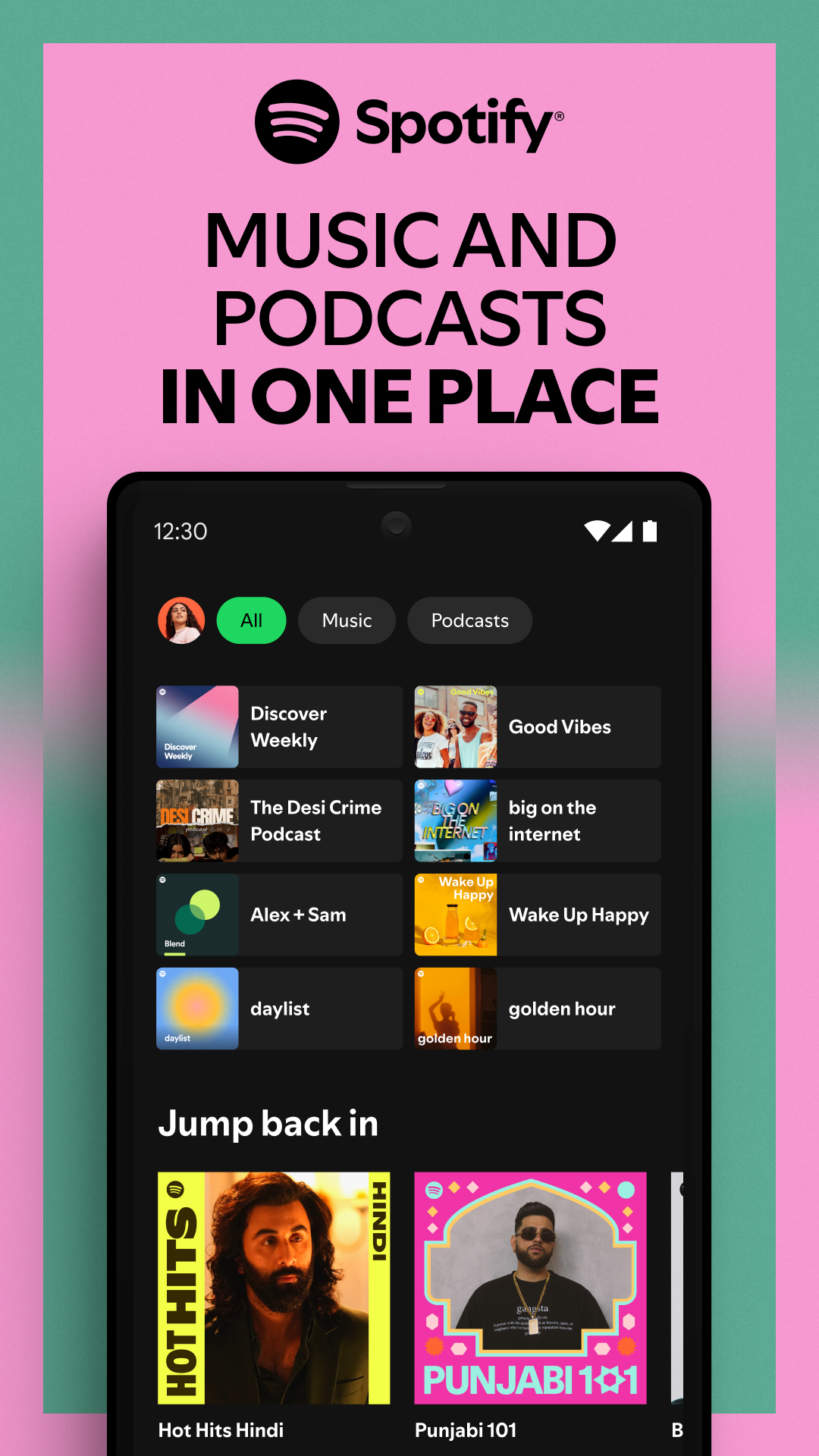
Spotify Free lets you:
– Listen to millions of songs and podcasts
– Build your own playlists
– Get personalized mixes and recommendations like Discover Weekly
– Access Spotify from lots of devices
But honestly, the ads get old fast. And your playback options are limited — fewer skips, no downloads, and sometimes you can’t play the exact song you want, only shuffle.
Spotify Premium: What Changes When You Pay?
Now, go premium, and things feel a lot different. No ads. You can download your music for offline listening, skip tracks as much as you want, and sound quality steps up a notch. There are a few different plans depending on where you live and if you’re going solo, with a partner, or want a family plan.
Premium’s real appeal is a smoother, more flexible listening experience — you’re in control, not the other way around.
Spotify Premium vs Spotify Free
| Feature | Spotify Free | Spotify Premium |
|---|---|---|
| Monthly Cost | Free | Paid subscription |
| Advertisements | Yes | No |
| Offline Downloads | No | Yes |
| Unlimited Skips | Limited | Yes |
| Audio Quality | Standard | Very High (plan-dependent) |
| On-demand Playback | Limited on some devices | Yes |
| AI & Premium Features | Limited | Available on eligible plans |
Audio Quality Comparison
Audio quality really makes a difference, especially if you’ve invested in good headphones or speakers.
Spotify Free gives you standard streaming quality, which works fine for everyday listening. If you get Spotify Premium, you unlock higher-quality streaming (depending on your plan), and you’ll definitely notice better clarity and richer sound—especially on decent audio gear. Sure, casual listeners might not hear a huge difference, but audiophiles usually do.
Offline Listening
One of the best things about Premium is offline playback.
Premium subscribers can download playlists, save albums, and listen without needing an internet connection. This is a lifesaver for flights, road trips, or when your signal just isn’t up to scratch.
Advertisement Experience
Spotify Free
With Free, you’ll hear audio ads from time to time and see display ads in the app.
Spotify Premium
Go Premium and the ads disappear from music playback—so you get a smoother, uninterrupted experience. Just keep in mind, podcast creators control their own ads, so you might still hear a few in certain podcasts.
Music Discovery
Both Free and Premium users get Spotify’s smart recommendations and inspired playlists. You’ve got:
– Discover Weekly
– Daily Mix
– Release Radar
– AI-powered recommendations
– Curated playlists
Both versions offer lots of ways to discover new music, but Premium gives you more freedom over what you play and skip.
Is Spotify Premium Worth It?
Premium is worth a look if you:
– Listen to music every day
– Want to skip ads
– Travel a lot and need offline music
– Like controlling what plays and when
– Care about sound quality with good headphones or speakers
But if you only listen now and then and ads don’t bother you, Spotify Free works just fine.
Android vs iPhone Experience
Spotify feels pretty much the same on Android and iPhone.
Android users get extras like Android Auto, smartwatch support, Bluetooth speakers, tablets, and even compatibility with foldable phones. All Premium features work across Android and iOS instantly—just log in.
Tips for Getting the Most Out of Spotify
– Make your own playlists
– Follow artists you love
– Turn on high-quality streaming if you’ve got the data
– Check out Daily Mix and Discover Weekly
– Connect Spotify to smart speakers or Android Auto
– Keep your app updated for new features
At AndroidPorts.com, we’re always posting guides, tips, and news to help you get more from your favorite apps.
Conclusion
Spotify Free is a solid choice for anyone who wants a huge music library without paying for it. You get personalized recommendations, playlists, and podcasts, all in a simple package.
Spotify Premium takes things further with ad-free music, offline downloads, unlimited skips, and higher-quality audio. If you listen for hours each week, it’s probably worth it just for the convenience alone.
In the end, choosing Free or Premium comes down to how much you listen to music and your budget. If music is a daily habit and you want full control, Premium’s the way to go. For everyone else, Free gives you a great streaming experience too.
Want more app comparisons, reviews, and guides? Check out AndroidPorts.com.
Frequently Asked Questions (FAQs)
1. Is Spotify Free really free?
Yes, you can stream music without paying, but you’ll have ads and some playback limits.
2. What are the best perks of Spotify Premium?
No ads, offline downloads, unlimited skips, full playback control, and higher-quality audio.
3. Can I download songs with Spotify Free?
No, downloads are for Premium users only.
4. Does Premium improve sound quality?
Yep—Premium streams music at a higher quality, which is especially noticeable on good headphones or speakers.
5. Does Spotify work on Android phones?
Absolutely. Spotify supports Android phones, tablets, Android Auto, smartwatches, smart TVs, and more.
6. Can I switch from Free to Premium later?
Of course. You can upgrade anytime through Spotify’s website or app.
7. Is Premium worth it for students?
Spotify offers discounted student plans in some places. You’ll need to verify your student status, and prices depend on where you live.
8. Can I cancel Premium anytime?
Most monthly premium plans can be cancelled whenever you like, and you’ll keep your benefits until the end of that billing period.
9. Does Spotify Free have ads?
Yes, music playback includes ads on the Free tier.
10. Where can I find more app reviews and guides?
Just visit AndroidPorts.com for the latest reviews, comparisons, tips, and tech news.
Leave a Comment