
Android August 2026 updates bring Tap to Share, Play Store changes, security improvements, better connectivity and Pixel fixes. Here’s what users should know.
Google’s monthly updates arrive in different ways—sometimes through Google Play services, sometimes just the Play Store, or even Android WebView—so improvements roll out to devices without needing a traditional firmware update.
This August 2026 cycle stands out. Android’s focusing on new ways to share between nearby phones, updated Play Store navigation, cross-device features, Wear OS location tools, security fixes, and recent Pixel patches.
Here’s what you should know:
- Tap Two Phones to Instantly Share Content
Probably the coolest new feature: Tap to Share.
With Google Play services v26.32, you can now share things like photos, videos, contacts, links, and locations just by tapping two supported Android phones together or using a gesture.
No more hunting through menus—sharing with someone right next to you becomes instant and easy.
You might not see the feature right away, depending on your phone. Don’t stress if it’s not there yet.
- Quick Share Feels More Natural
Tap to Share isn’t just a flashy feature—it’s part of a bigger change in how Android handles device-to-device sharing.
Quick Share already lets you move files between nearby devices, but this new tap-and-go approach makes it more seamless.
Think of snapping a group photo and then simply tapping two phones to share it. Or just bumping phones to swap contact info. Now, instead of searching for a recipient, you can start the transfer with a simple tap.
- Google Play Store Switches Up Navigation
Play Store v52.8 is rolling out a new navigation bar. It sounds small, but for anyone who checks out apps daily, this makes browsing and finding new stuff a bit smoother.
For developers, these tweaks can affect how easily people discover apps too. We’ll see how the changes shake out as more folks get the update.
- Cross-Device Features Get a Boost
Android isn’t just about single phones anymore. Tablets, PCs, watches—they’re all tied together more and more.
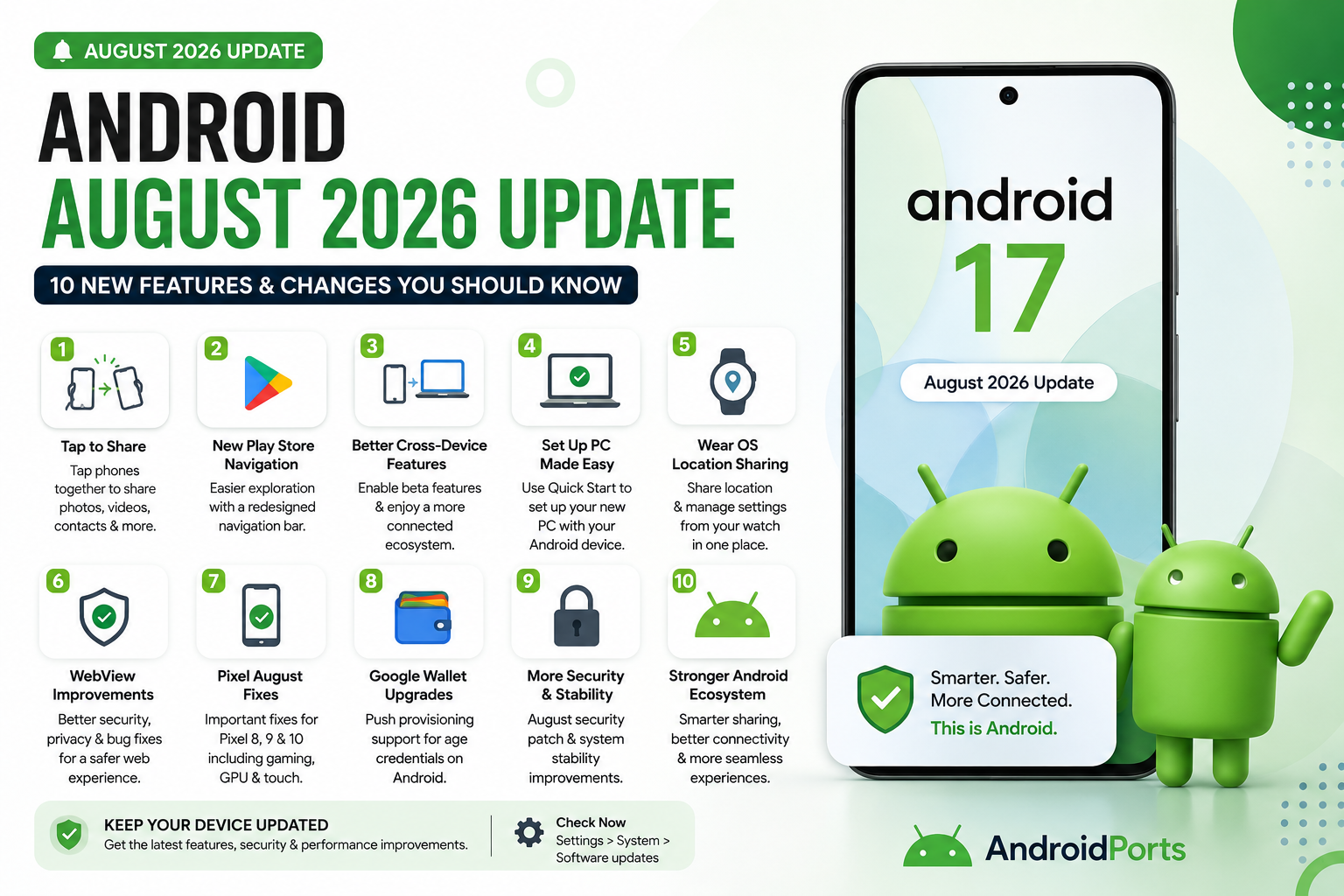
Google Play services v26.32 now lets you turn on beta cross-device features in the Cross Devices Services section, linking supported phones and PCs.
This fits with Google’s larger plan: create an ecosystem, not just a bunch of isolated devices. If you often hop between your phone and computer, take a peek under Settings → Google → Devices & sharing / Cross-device services. Note that what it’s actually called might look different from device to device.
- Setting Up a New PC Just Got Simpler
August adds another handy trick for setting up new PCs—Quick Start.
Now, instead of re-entering all your accounts and preferences on a new device, your Android phone helps you set it up quickly. Your phone’s becoming your passport for every other device you use, and that trend’s not stopping anytime soon.
- Wear OS Gains Centralized Location Sharing
Updates aren’t just for phones—Wear OS now gets Google Location Sharing.
You can share your location with Google apps and manage those settings straight from your watch. That’s helpful for coordinating with family, meeting people, outdoor stuff, travel, or just safety. Now you don’t always need to grab your phone just to tweak your location sharing.
- Android WebView Gets Security Updates
Some updates don’t get a spotlight but still matter. Android WebView v152 brings security and privacy improvements, bug fixes, and some new tools for developers.
Lots of apps use WebView behind the scenes—it’s how you view web content inside apps without needing to open Chrome or another browser. You’ll run into it when logging in, making payments, or reading in-app help pages.
So, even if you never open “Android System WebView” directly, it definitely pays to keep it updated.
- Pixel Phones Get August Fixes
Pixel users, heads up—there’s also a regular security patch in this batch, rolling out on Pixel 8, 9, and 10.
Pixel 10s are getting special fixes: smoother gaming (no more random crashes), improved GPU performance, and better touch response. If your phone feels off during games, check for a new update under Settings → System → Software updates. Menu text might look a little different depending on your phone.
- Google Wallet Starts Supporting Digital Age Proofs
Another update in Google Play services v26.32: Google Wallet now supports push provisioning for age credentials.
This isn’t a feature you’ll notice today; it’s background work for the growing need for digital IDs and age verification. As more services require this, Google Wallet keeps quietly evolving beyond making payments or storing loyalty cards. For most people, there’s nothing you need to set up—just know it’s in the pipeline.
- Android’s Connected Future
Zoom out, and the real takeaway here isn’t any single feature, but how Android keeps shifting toward a unified experience:
Easy phone-to-phone sharing
Using your phone to set up a computer
Cross-device betas
Wear OS managing location
Wallet prepping for digital IDs
Improved Play Store app discovery
Android’s shaping itself around a connected ecosystem. Your phone anchors your digital world, with other devices—watches, PCs, TVs, cars, tablets—playing supporting roles.
August’s updates point in that direction.
Bonus: Android-to-iPhone Sharing Is Getting Better
This one’s not specific to the August update, but worth noting. Google’s rolling out broader Quick Share compatibility with Apple’s AirDrop. It started with Pixel 10, but more Android devices are joining in.
That means sharing photos or files between Android and iPhone is getting less painful. Maybe soon you won’t have to say, “Can you just WhatsApp me that photo?”
Do You Need to Do Anything to Get Android August’s Update?
Usually, no.
Android improvements can show up via the monthly Android system update, Google Play system update, Google Play services, Play Store, WebView, or individual app updates.
That’s also why two Android phones can both look “fully updated,” yet only one has the newest feature.
To check, look under Settings → About phone → Android version; see the Google Play system and Android security updates. And don’t forget Play Store app updates.
Why Haven’t You Gotten These Features Yet?
Keep in mind—updates don’t magically show up everywhere all at once.
Some features are experimental or only available to limited users. It depends on your model, Android version, country, Play services version, manufacturer, account, or even what Google’s enabling at that moment.
So, if your friend’s got Tap to Share and you don’t, don’t panic. This is normal.
Should You Install the August Update?
Absolutely.
Even if all you care about is security and stability, these background updates make a real difference. Users sometimes skip updates because things look the same, but so much happens quietly—security fixes, connectivity improvements, WebView patches—that matter a lot more than a new icon.
APK Users: This Matters Even More
If you sideload APKs, make sure you keep Android’s system components updated. Just because you install outside the Play Store doesn’t mean you can ignore core updates—if anything, it’s even more important for your security.
And, with changes coming to APK verification and sideloaded apps next year, staying current really matters.
Conclusion
This isn’t one of those Android updates defined by a complete UI overhaul. It’s about ironing out the little annoyances and quietly improving how everything works.
Standout: Tap to Share. Plus, better cross-device support, easier PC setup, more relevant Play Store recommendations, stronger security for WebView, and focused Pixel updates.
If you only look for major version bumps, you could miss all the best changes—because now, lots of them roll out quietly and steadily through Google Play services and other behind-the-scenes components.
FAQs
What is the Android August 2026 update?
It’s a group of changes—some through Google Play services, Play Store, WebView, and individual device security patches.
What’s Tap to Share?
A new way for supported Android phones to share stuff (contacts, photos, links, etc.) by just tapping together or using certain gestures.
Does every phone get Tap to Share?
Not right away. Some features are still limited to certain phones or users.
What’s new in Google Play?
A redesigned navigation bar in Play Store v52.8, making it a bit easier to browse and discover apps.
How does this update affect Android security?
WebView v152 and Pixel updates both include security and privacy improvements.
Which Pixel phones get the August Android 17 update?
Pixel 8, 9, and 10.
How do I check for Google Play system updates?
Settings → About phone → Android version → Google Play system update (the exact path might vary).
Is Android 17 the same as a Google Play system update?
No, they’re separate updates, but both matter for your overall experience.
Should I install the August update?
Yes—keeping core Android components updated helps with security, privacy, and overall stability.
Where can I get more Android update tips or guides?
AndroidPorts.com covers updates, APK changes, security tips, app comparisons, emulators, and practical Android help.
Leave a Comment