Samsung One UI 9 brings Android 17, improved security, personalization and smarter Galaxy features. Discover what’s new and which Galaxy phones may receive it.
Samsung keeps pushing its Galaxy software forward, and One UI 9 is the latest leap. Built on Android 17, this update blends Google’s new Android foundation with Samsung’s design, security upgrades, personalization tools, and everything else that ties the whole Galaxy ecosystem together.
They started things off with the One UI 9 beta for the Galaxy S26 series, putting the spotlight on improvements in creativity, personalization, accessibility, and security.
If you read AndroidPorts.com, here’s a straightforward look at what’s new and what Galaxy users should know before taking the plunge.
What is Samsung One UI 9?
One UI is Samsung’s take on Android—their custom interface you see on Galaxy phones and tablets. The core is still Android, but Samsung builds its own look, apps, settings, and features on top.
For this version:
Android 17 + Samsung extras = One UI 9
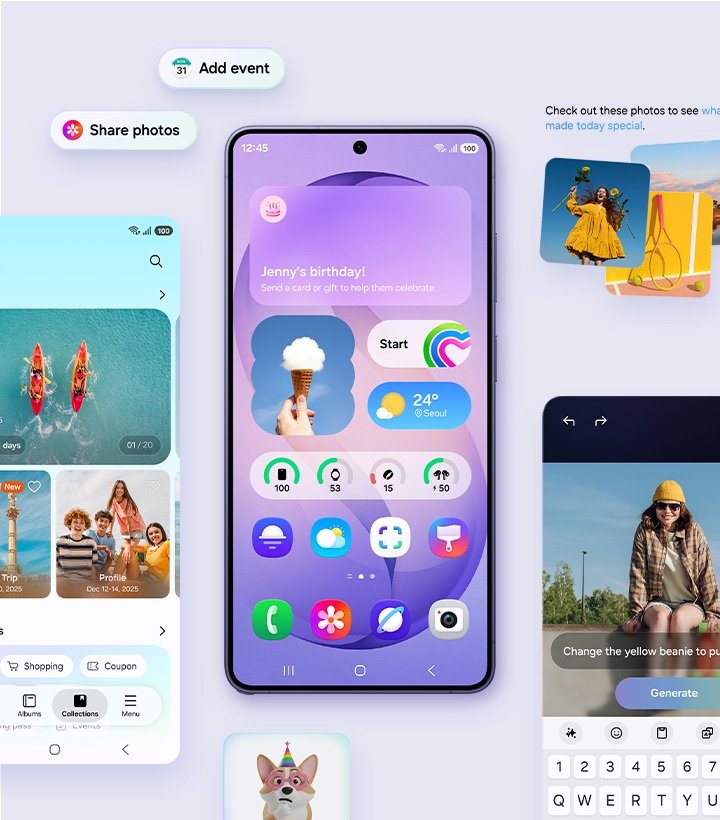
If you already have a Galaxy, none of this should feel foreign. It’s familiar, not a radical overhaul.
- Android 17 Arrives on Galaxy Phones
The biggest change: the jump to Android 17.
It’s not just about shiny new features—Android 17 brings under-the-hood stuff too, like new security measures, developer APIs, privacy tweaks, and smoother ways for apps to work with the system.
For Galaxy owners, you get all that back-end Android improvement, but Samsung’s interface still feels like home.
- More Ways to Personalize
Samsung has always been big on customization, and One UI 9 keeps that going.
You can already play around with your home screen, lock screen, widgets, themes, and other bits. Now, the whole experience is a little more personal—not a massive redesign, just fresh options to tweak things your way.
So, if you’re comfortable with how your phone looks but always want a bit more flexibility, this nails it.
- New Creative Tools in Samsung Notes
Samsung Notes gets some love, too. There are new creative touches—think decorative tape and extra pen styles.
This stuff is especially handy if you’re a student, use the S Pen, or jot down a lot on a Galaxy tablet. It’s not a huge overhaul, but it does make Samsung Notes a bit more versatile for everyone who loves handwriting or sketching on their device.
- Stronger Galaxy Security
Security’s a bigger deal in One UI 9.
Samsung says they’ve beefed up protection against a range of threats. Considering how much sensitive data lives on our phones—bank info, passwords, photos—it matters.
People who install APK files need to keep their system up to date; those updates keep you safer. And if an app asks you to shut off Android or Samsung’s security features just so it’ll install? Skip it.
- AI Everywhere
AI isn’t just a buzzword for Samsung. With One UI 9, they’re weaving it deeper into the Galaxy experience. AI isn’t a side feature anymore—it’s more integrated, helping you do everyday stuff faster and with less hassle.
Here’s the thing: Which AI features you get can depend on your Galaxy model, country, language, or even hardware. Not every phone gets every shiny new tool, so don’t expect uniform AI features everywhere.
- Foldable Phones Get a Smoother Ride
One UI matters even more on foldable phones.
Devices like the Galaxy Z Fold 8 and Z Flip 8 come with One UI 9 right out of the box. Samsung’s not just stretching a phone screen onto a larger display; they’re actually rethinking multitasking, split-screen apps, and flexible layouts so everything works naturally.
Which Galaxy Phones Get One UI 9?
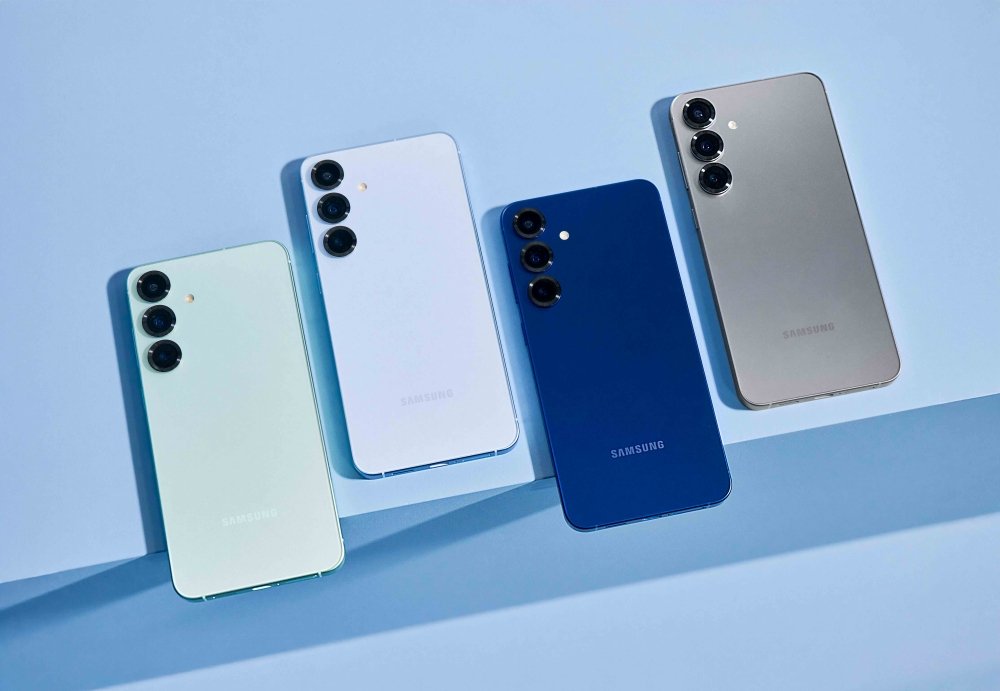
Samsung’s rollout depends on your exact model, where you live, and your carrier. But basically, expect it on these:
- Galaxy S26 series
- Galaxy S25 series
- Galaxy S24 series
- Galaxy S23 series
- Newer Galaxy Z Fold and Z Flip models
- Selected newer Galaxy A, M, and F phones
- Supported Galaxy Tab models
To be sure, check for your specific device before you get your hopes up.
How to Check for the One UI 9 Update
Once it’s ready, grab your Galaxy and go to:
Settings → Software update → Download and install
Updates don’t hit every phone at the same time—they depend on your location, model, and carrier. If your friend gets the update before you, don’t panic. Yours is probably just in the queue.
Will One UI 9 Mess with APK Apps?
It’s possible.
Since One UI 9 brings in Android 17, old apps or APK files that haven’t been updated in a while might stop working or act weird.
If an app fails after the update, look for a new version from the legit developer. Don’t keep reinstalling the same old APK hoping for a different result.
And definitely be careful with shady APKs that say they can bypass Android 17’s restrictions. That’s a security risk.
Should You Install One UI 9?
If Samsung’s officially offering the update for your Galaxy, it’s worth it—better security, fresh features, and app compatibility. Just back up your stuff, charge your battery, and update your other apps right after.
Beta software, though, is its own beast. Betas are for people who like to test and tinker. If you rely on your phone, wait for the final version.
Final Thoughts
Samsung One UI 9 isn’t just a new look for Galaxy phones. It’s a foundation change with Android 17, plus Samsung’s signature personalization, security, and AI flourishes.
This update matters for AndroidPorts.com readers, especially if you care about APK compatibility. The smart move? Check for updates in your Settings and avoid sketchy firmware downloads.
If your Galaxy is on the list, One UI 9 brings you the latest Android experience, and you still get the familiar Samsung feel you’re used to Samsung’s Galaxy software keeps getting smarter, and One UI 9 is the latest example. It’s built on Android 17, blending Google’s newest software with Samsung’s signature interface, security upgrades, personalization tools, and the whole Galaxy ecosystem.
The beta first landed on the Galaxy S26 series, with Samsung talking up improvements in creativity, personalization, accessibility, and security.
If you’re reading this on AndroidPorts.com, here’s a clear guide to what’s changing—and what you should know before updating.
Leave a Comment