Notion Agent simplifies your needs. Write notes, plan projects & organize tasks
Download Notion: Notes, Tasks, AI APK Download for Android
| Name | Notion: notes, tasks, AI |
|---|---|
| Publisher | Notion Labs, Inc. |
| Genre | Productivity |
| Size | 121.4 MB |
| Version | 0.5.2273 |
| MOD Info | Original |
| Get it On |

|
MOD Info
Original
What's new
Bug fixes and performance improvements.


Download Notion: Notes, Tasks, AI APK for Android from AndroidPorts.com. Organize notes, manage tasks, collaborate with teams, and boost productivity using powerful AI tools.
In a world where everything moves quickly, staying organized isn’t just helpful—it’s kind of essential. If you’re a student drowning in assignments, a professional juggling projects, or just someone trying to keep life in order, Notion: Notes, Tasks, and AI is a real lifesaver. It’s an all-in-one workspace that rolls up note-taking, task management, and some seriously smart AI-powered tools into one smooth package. No wonder so many people are obsessed with it.
Ready to get started? Just download the latest Notion APK from AndroidPorts.com and see what all the hype is about on your Android device.
What is Notion, Really?
Notion’s more than a note app—it’s basically command central for your life or work. You’ve got notes, documents, databases, calendars, to-do lists…all in one spot. And don’t forget the built-in AI. Ditch the constant app switching; Notion keeps everything in one place.
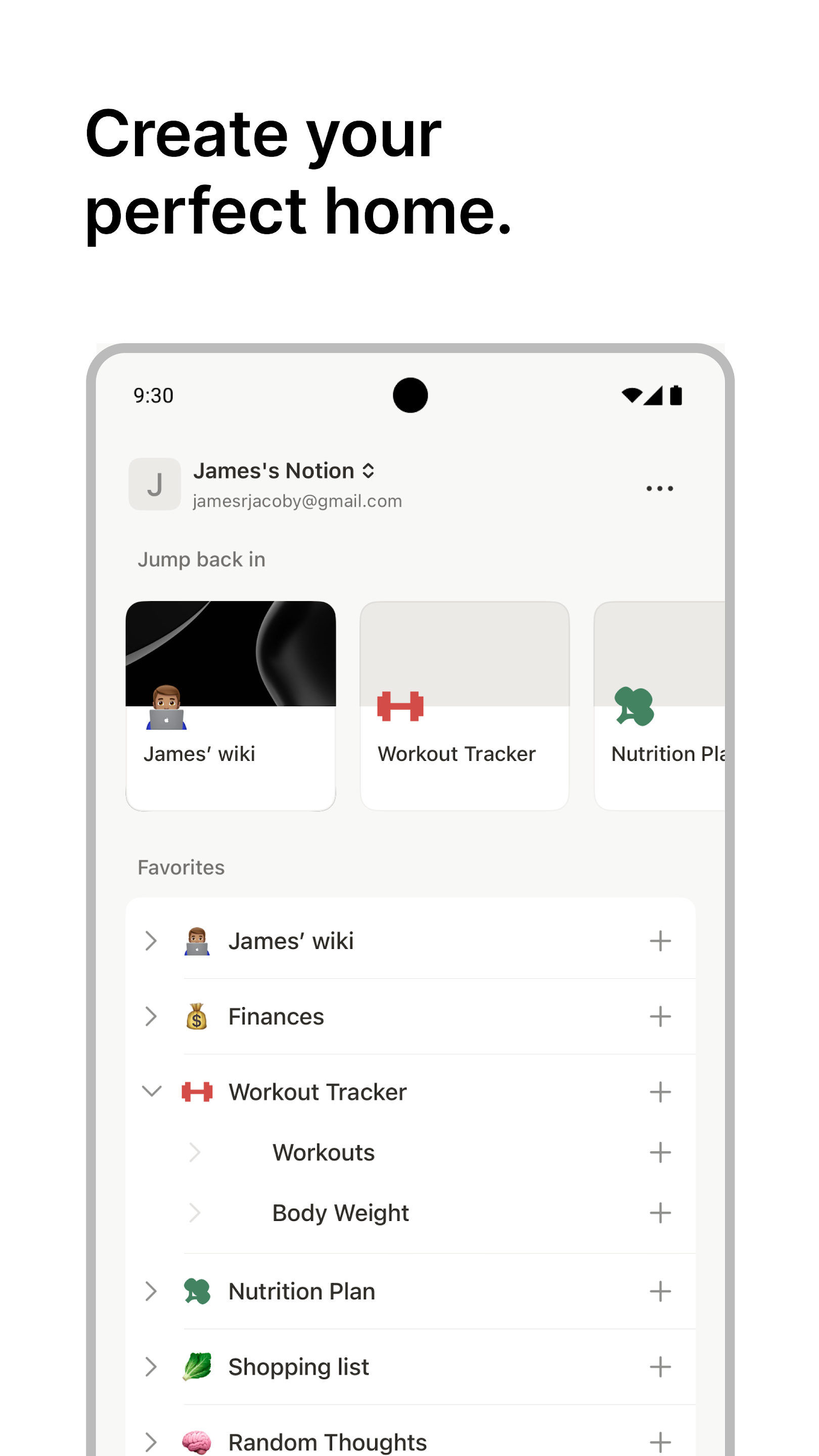
Who’s it for? Anyone, really:
– Students who want to organize class notes and study materials
– Teams working together on projects
– Freelancers managing gigs and clients
– Content creators scheduling campaigns
– Businesses keeping workflows moving
– Anyone building a personal productivity system from scratch
What Makes Notion Stand Out?
- Note-Taking With Options
Notion isn’t just about plain text. You can add images, checklists, code blocks, tables—basically whatever you need. It’s flexible, whether you’re jotting quick reminders or drafting something longer.
- Task Management That Just Works
Checklists? Custom boards? Deadlines? Notion’s got all that. You can keep it as simple or detailed as you like—add due dates, set up recurring tasks, or track progress on a Kanban board.
- Smart Features Thanks to AI
The integrated Notion AI is a total game changer. It helps you brainstorm ideas, summarize big chunks of text, punch up your writing, translate content, or even whip up meeting notes. It shaves hours off your workload and keeps you moving.
- Real-Time Collaboration
Whether you’re in the same room or on different continents, Notion makes team collaboration easy. You can share pages, assign tasks, and chime in with comments. Everybody stays on the same page.
- Works Everywhere
Notion syncs by itself, so your info’s always accessible on your phone, laptop, or the web. No more “Wait, where did I save that?”
- Templates for Just About Everything
Not sure where to begin? Notion’s huge library of templates has you covered—habit trackers, project planners, class notes, trip organizers, budget trackers, content calendars, you name it.
Why Do People Love Notion?
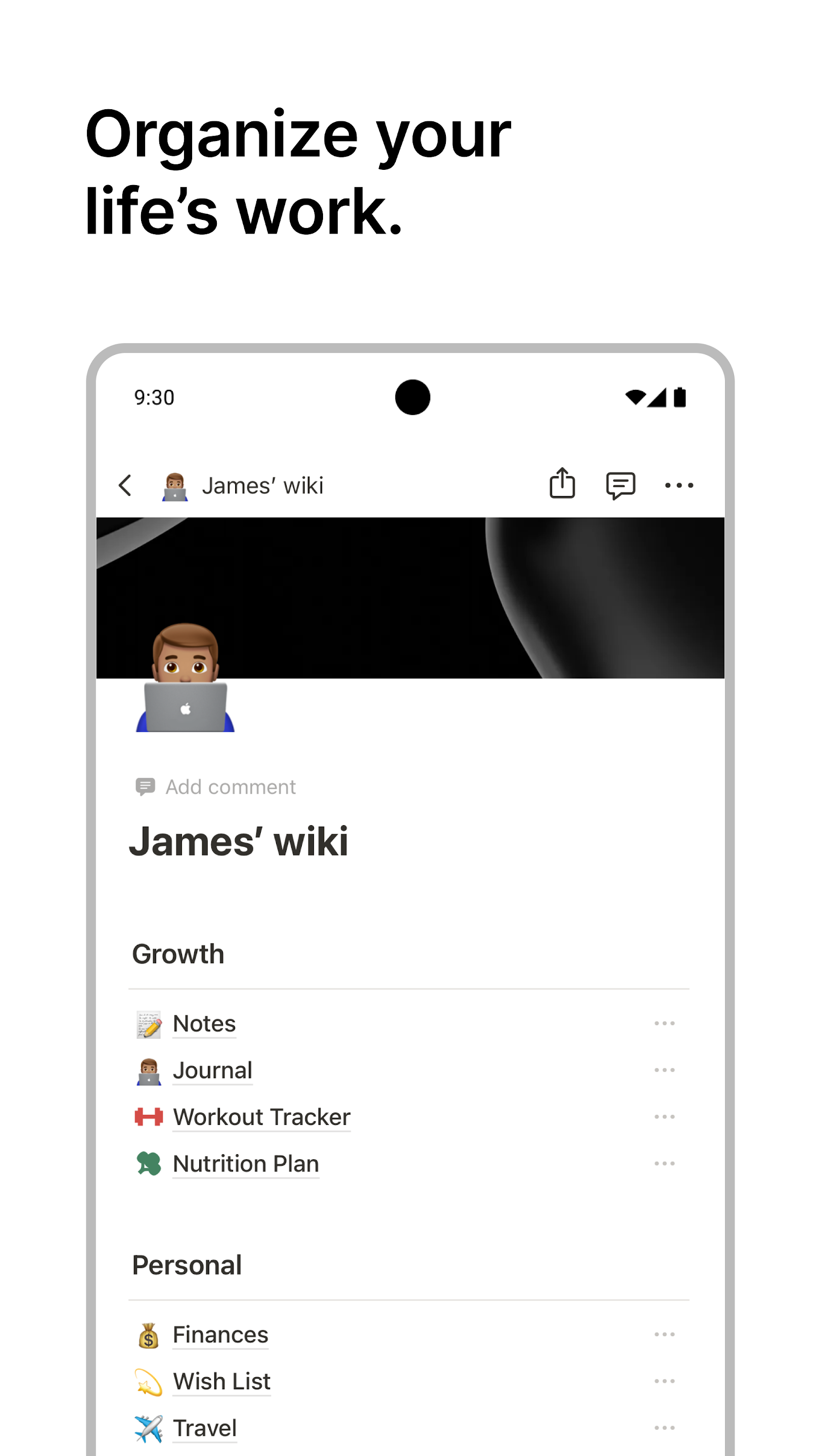
Notion doesn’t box you in. Instead, it lets you build your ideal workspace, whether that’s a simple planner or a massive team wiki. The AI features cut out the busywork so you actually get things done, not just organize lists all day.
Pros and Cons
What’s Great:
– Everything you need for productivity, all in one place
– Sleek, uncluttered design
– Top-notch AI integration
– Smooth collaboration tools
– Plenty of ways to customize
– Updates keep rolling in
Room for Improvement:
– Takes a bit to learn the ropes
– Some AI features are behind a paywall
– Offline mode can be hit or miss
Is Notion Safe?
Absolutely. Millions count on Notion for everything from schoolwork to business projects. They don’t mess around when it comes to security, either. Still, it’s smart to use strong passwords and enable extra protection where you can.
Who Should Try Notion?
Honestly, anyone who wants to be more organized:
– Students
– Entrepreneurs with lots on their plate
– Remote teams
– Writers and bloggers
– People who just want to get more out of their time
Download Notion APK from AndroidPorts.com
Ready for a productivity upgrade? Head to AndroidPorts.com to grab the latest Notion: Notes, Tasks, and AI APK. You’ll find the most recent releases, detailed how-tos, and breakdowns of all the newest features. Just make sure you download from trusted sources and check your device compatibility first.
Conclusion
Notion: Notes, Tasks, AI isn’t just a note app. It’s a whole productivity suite that can handle everything your day throws at you. With its blend of organizational tools, collaboration features, and smart AI, it stands out as one of the best out there.
No matter if you’re sorting out daily chores, planning out big work projects, or trying to bring some order to your personal life, Notion’s got the tools—and the flexibility—to help you get more done.
Check out AndroidPorts.com to get started and see how Notion can seriously boost your productivity.
Download Notion: notes, tasks, AI
Download (121.4 MB)You are now ready to download Notion: notes, tasks, AI for free. Here are some notes:
- Please read our MOD Info and installation instructions carefully for the game & app to work properly
- Read the FAQ carefully for more details
4.6/5 (367,361 votes)







Leave a Comment