
Discover how the Saily mobile app works on Android, including international eSIM data, 200+ destinations, security tools, setup, regional plans, and travel benefits.
Your Phone Lands Abroad. What Happens Next?
You hop off the plane, turn off airplane mode, and immediately your phone’s your lifeline. Maybe you need Google Maps to find your way, WhatsApp to message friends or family, check your luggage with the airline’s app, or just call a ride to get out of the airport.
Travelers used to face three basic options: pay for pricey roaming, hunt for a local SIM card, or rely on spotty airport Wi-Fi.
That’s starting to change with apps like Saily.
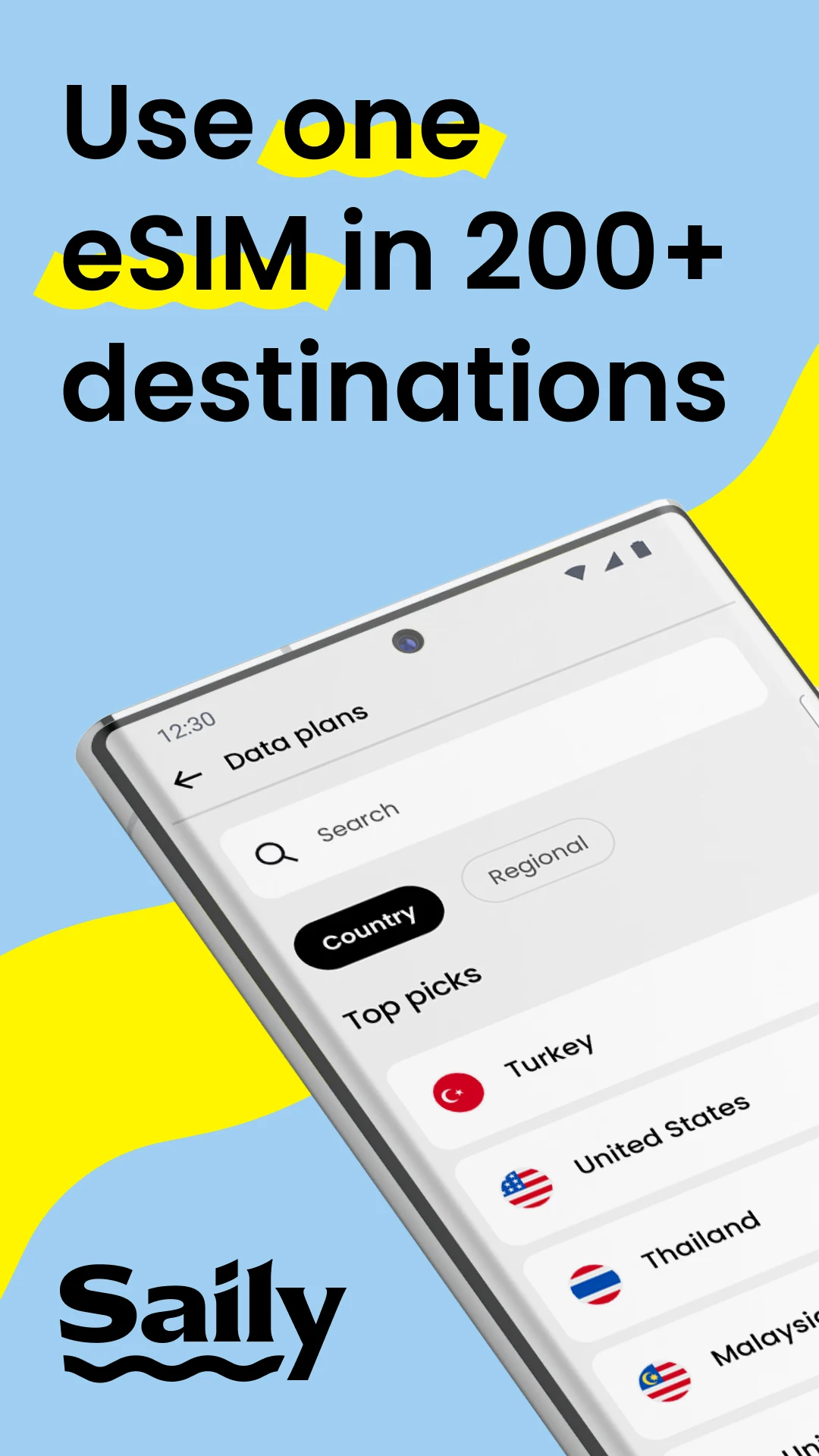
Saily, built by Nord Security (the folks behind NordVPN), is a travel eSIM service. In plain English, it lets you buy mobile data through your phone and use it in over 200 countries—no need to pry out your physical SIM card.
For Android users, Saily is more than just another app—it’s something you’ll probably want to set up before you pack your bags.
In this AndroidPorts.com guide, I’m going to walk you through how Saily works on Android, its standout features, and who’s likely to benefit.
What Exactly Is Saily?
Saily is an app that helps you buy and manage travel eSIM plans.
An eSIM is a digital SIM card. Instead of wrestling with a tiny plastic card, you just load a data plan onto any phone that supports eSIM.
With Saily, you get prepaid mobile data in over 200 places around the world. You can buy your plan before your trip, install the eSIM, and connect the moment you land.
Basically, it solves that classic international travel headache—where can I get data the minute I step off the plane?
Why Saily Makes Sense on Android
Android phones are quickly adopting eSIM tech.
If your phone supports eSIM (think most modern Samsung, Pixel, or Xiaomi devices), you can add a travel data plan with Saily and keep your usual SIM card for texts, calls, or whatever else. No need for annoying card swaps or risking lost SIMs.
But your phone has to support eSIM, so do a quick check on your model before downloading anything. Saily and AndroidPorts both suggest double-checking compatibility.
One eSIM for Multiple Trips
You don’t need to install a new eSIM every time you travel. Saily says you can reuse the same eSIM as you bounce between countries—just top it up or add new plans.
Picture this: India → Singapore → Thailand → Japan. Instead of collecting SIM cards as souvenirs, you just add the right plan in the app. That’s real convenience, especially for frequent travelers—sometimes that’s worth more than squeezing every penny out of a data package.
Local, Regional, and Global Plans
Not every trip is one country and done. Backpacking or traveling for work might mean you’re crossing borders every few days.
Saily has country-specific, regional, and global data plans. Its European plan, for example, covers most of Europe; its global plan works in more than 110 destinations.
Who benefits? Anyone on a multi-country vacation, business travelers, backpackers, cruise passengers, digital nomads—basically, anyone who’d rather not swap plans every border.
Saily Isn’t Just Mobile Data
This is where Saily steps up compared to a basic SIM card.
It packs in some security and privacy features too.
Ad Blocker
Saily’s eSIM plans include DNS-based ad blocking. So, you’ll see fewer ads on your phone—and since ads suck up data, it helps your travel allowance last longer.
Web Protection
Saily can help steer you clear of sites flagged as malicious and cut down on tracking cookies. It’s not a full security suite, but it’s an extra layer for peace of mind while you travel.
Virtual Location
Saily’s virtual-location feature lets you choose from over 115 locations so your online location doesn’t match where you’re actually standing. Handy for privacy and another notch above a simple data provider.
Using Saily on Android: How It Works
Getting started is easy.
Step 1: Check Your Phone
First, make sure your device supports eSIM. Not every Android phone does yet.
Step 2: Install Saily
Get the app from Google Play.
Step 3: Choose Your Destination
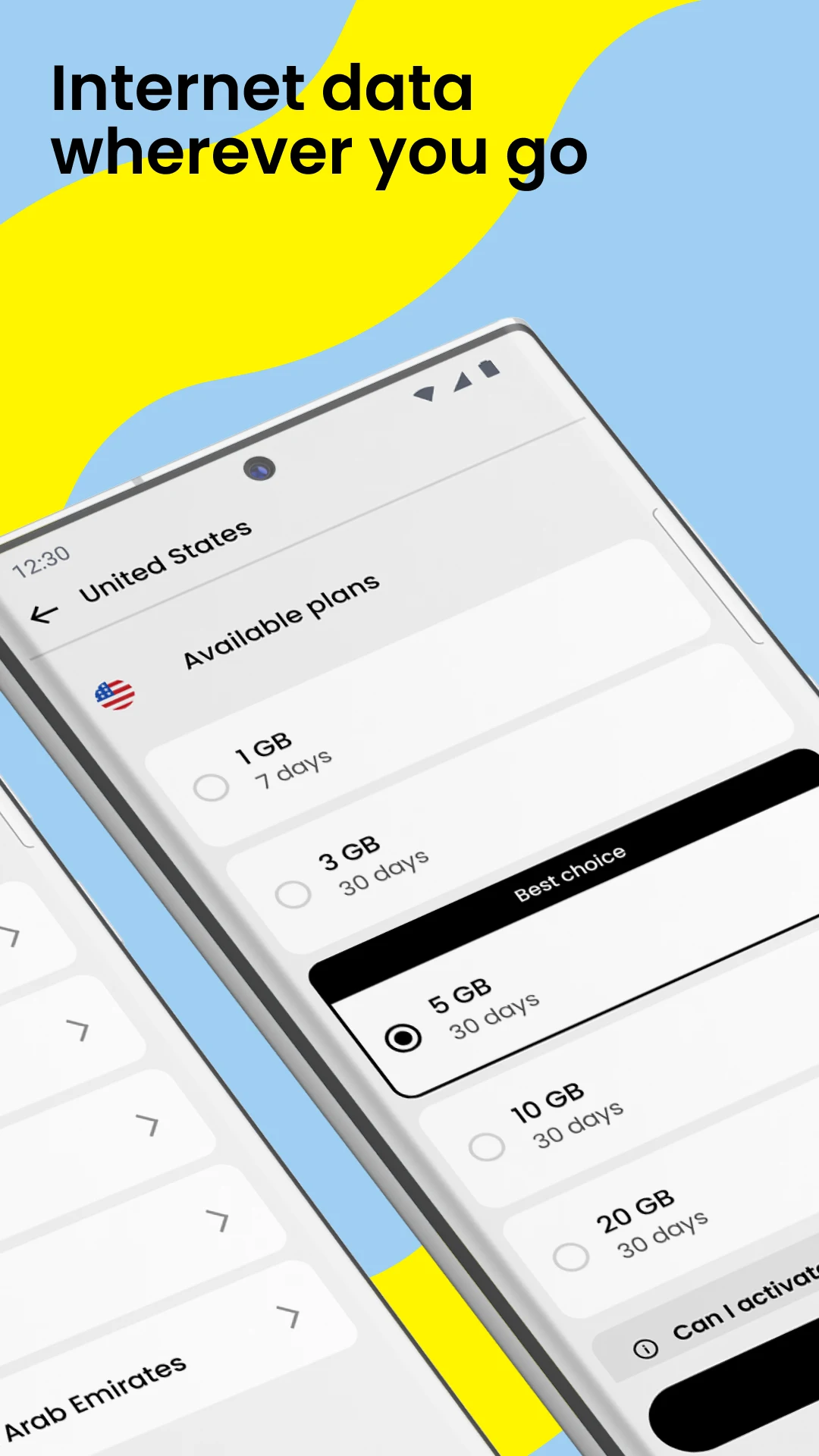
Fire up the app, pick the country or region you’re headed to, and compare data amounts and how long each plan lasts.
Step 4: Buy a Plan
Pick what fits. Just messaging and maps? Go low. Streaming or remote work? Grab a bigger package.
Step 5: Install Your eSIM
Follow Saily’s in-app prompts for installation. If that doesn’t do the trick, the official instructions walk you through manual setup.
Step 6: Set Up Mobile Data
Use the app to activate your Saily eSIM line and enable data/roaming for the trip.
Step 7: Hit the Road
Once set up, you’ll connect to your plan when you land—or within 30 days of buying it.
Why Travelers Prefer eSIM Over Airport SIM Cards
Sure, buying a physical SIM at the airport isn’t hard—but after a long flight, who feels like shopping for cell plans?
With eSIM, you have working mobile data the second you walk off the plane. That means your maps, messages, rides, translations, booking apps, and payment confirmations are ready when you need them. Instant convenience is the real edge.
Saily for Business Travelers
Business trips mean you need a connection now—not after you locate your hotel’s Wi-Fi. Watching for urgent emails, video calls, Slack messages, or client texts? A prepaid eSIM connection is a lifesaver. Plus, regional or global plans help business travelers hopping between countries.
What About Calls and SMS?
eSIM services usually focus on mobile data—email, YouTube, WhatsApp, all that stuff. Saily’s main game is data too, but they’ve added the option for a US phone number with certain call and text plans. Bottom line: check your specific Saily plan to see if it includes traditional calling and SMS, not all do.
Saily APK: Should You Sideload It?
Some Android fans look for “Saily APK” or similar keywords, but unless you like risk, skip unofficial or modded versions. Downloading sketchy APKs with promises like “Saily Premium MOD” or “Unlimited Data” might get you more headaches than gigabytes. Always use trusted websites like Androidports.com.
Why We Like Saily
Saily makes solving a specific travel problem pretty simple. Here’s where it shines:
– Coverage in 200+ destinations
– Works on both Android and iOS
– No swapping physical SIM cards
– Offers local, regional, and global options
– Reusable eSIM for multiple trips
– Handy ad-blocker
– Extra web protection
– Virtual location feature
– 24/7 support
– Easy Android setup
Plus, you can pick from short-term, low-data plans up to larger ones—whatever fits your trip.
Things to Consider Before You Buy
Saily’s not for everyone. Before you jump in, check:
– Your carrier’s roaming deals—sometimes they’re not a rip-off
– Local SIM prices—great for long stays
– Your real data needs—streaming burns through data fast
– Coverage—double-check that your destination and plan match
– Device compatibility—your phone needs eSIM support
– Calls and SMS—does your plan cover these or is it data only?
The best pick is whatever fits your needs, trip, phone, and budget.
Saily vs Traditional International Roaming
International roaming is simple—you just use your regular carrier—but that comfort often costs more. Travel eSIMs like Saily split the difference: you keep your phone, avoid surprise bills, and pick a local or regional plan. For lots of travelers, that’s the sweet spot.
AndroidPorts Verdict: Is Saily Worth It?
Yep—especially for Android users planning to travel internationally with eSIM-ready phones.
Saily’s real strength is how it pulls everything—destination picks, easy installation, plan management, security, and multi-country coverage—into a single app. The bonus security features push it ahead of basic data-only services.
If you travel a lot, jump between countries, work on the move, or just want a hassle-free connection overseas, give Saily a look.
If you’re only going abroad occasionally, do your homework on your current carrier and local SIM options before you buy.
We see travel eSIMs as one of the best things to happen for Android users who love to wander. Instead of trying to track down a SIM in the arrivals hall, ask yourself a much simpler question:
Which data plan do I set up before I go?
That’s the problem Saily is built to solve.
Frequently Asked Questions About Saily
What is the Saily app?
Saily is Nord Security’s eSIM app—buy and manage mobile data for international trips all in one place.
Does Saily work on Android?
Yes, as long as your Android phone supports eSIM.
How many countries does Saily cover?
Over 200 destinations.
Do I need to swap my physical SIM?
Nope—just install the eSIM. Check your phone’s dual-SIM features for details.
Does Saily come with unlimited data?
Plans vary. Check inside the app for what’s offered for your destination—it’s not all-you-can-eat by default.
Is there ad blocking?
Yes, DNS-based ad blocking is included.
Does Saily have a VPN?
It has a virtual-location feature that works a bit like a VPN, but it’s not a full VPN solution. Know what you need before relying on just this.
Can I use WhatsApp with Saily?
Yes, as long as you have a working Saily data connection. Your WhatsApp account works as usual—rules on number retention are set by WhatsApp.
Can I use the same Saily eSIM for multiple trips?
Yes. You add new plans for new destinations without reinstalling a fresh eSIM.
Should I install a Saily MOD APK?
No. For something as sensitive as mobile connectivity, stick to the official app.
Does Saily offer customer support?
They say it’s available 24/7.
Where can I read more Android travel app guides?
Head to AndroidPorts.com for reviews, guides, security tips, and much more about Android travel apps.
Leave a Comment