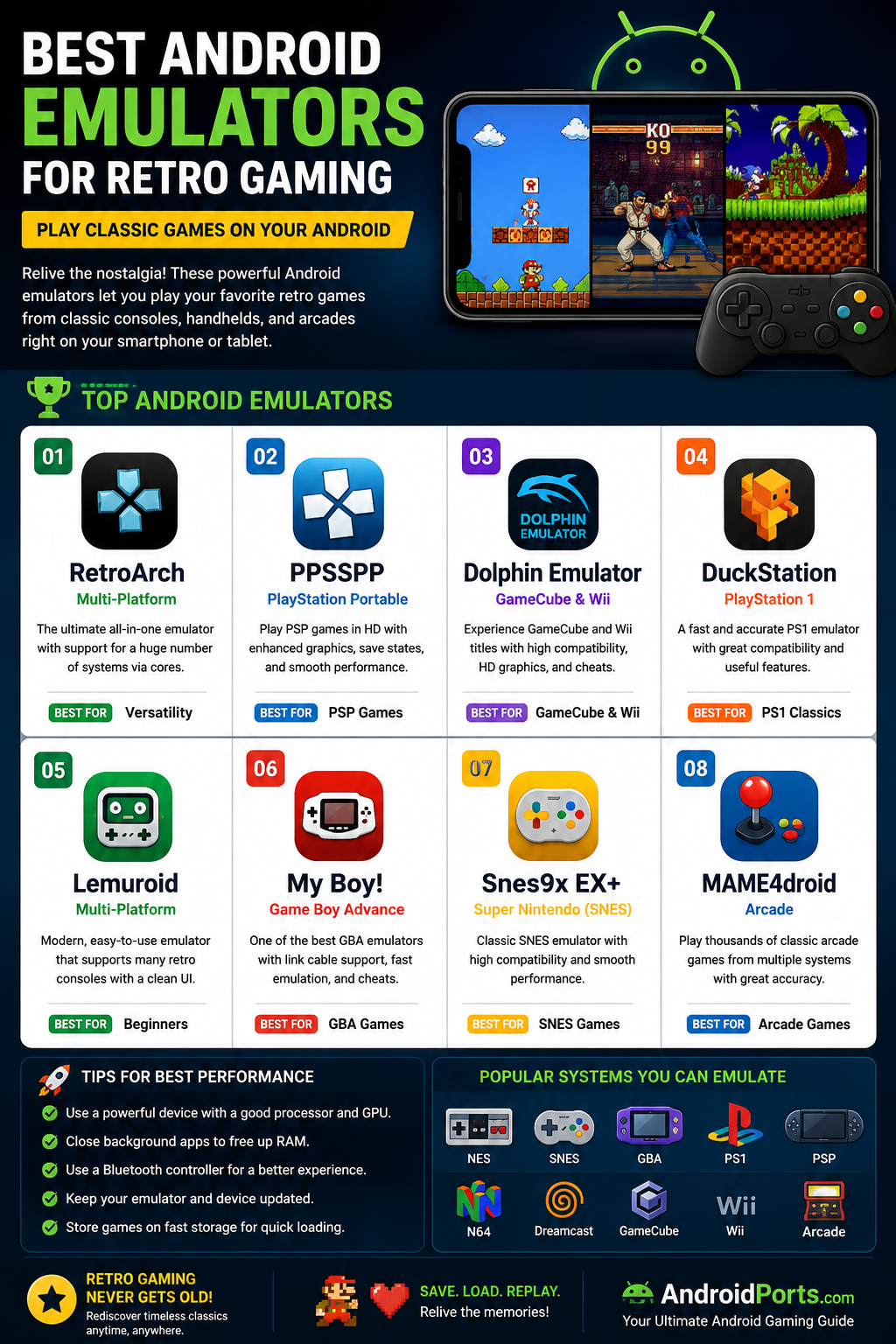
The best Android emulators for retro gaming, including PPSSPP, RetroArch, Dolphin, DuckStation, Lemuroid, and more. Read this complete gaming guide on AndroidPorts.com.
Retro gaming’s come roaring back—people just love the old stuff! Whether you’re obsessed with classics from the arcades or miss those Game Boy or console gems, today’s Android phones can handle almost anything you throw at them. Honestly, you don’t need to dust off old hardware anymore. Just grab an emulator and boom—you’re back in business, playing those nostalgic titles wherever you feel like it.
AndroidPorts.com pulled together this guide to help you pick the right emulator. We’ll run through the best options, highlight their features, talk about which systems they support, and share some quick tips to make your gaming smoother.
Just a heads-up: Emulator software is legal, but you really should only play games you actually own. Copyright rules apply if you care about staying out of trouble.
What’s an Android Emulator for Retro Gaming?
Think of it like this: an emulator is an app that mimics old gaming consoles right on your Android device. You don’t need a stack of machines or cartridges. Your phone or tablet works as the game system. Loads of classic consoles can be emulated these days thanks to beefy phone chipsets.
Why Are Retro Games Hot Again?
People keep coming back to retro games for a bunch of reasons:
– Simple controls
– Quick bursts of play
– Pixel graphics that never get old
– Catchy soundtrack tunes
– Games you can replay forever
– Designs that actually make you sit up and think
Plus, they’re about skill and fun—not loot boxes or endless in-app purchases.
1. RetroArch
If you want “all-in-one” flexibility, RetroArch’s your best bet. It doesn’t lock you into one console. Instead, you pick different emulator cores for pretty much anything, from NES to PlayStation and more.
What makes RetroArch stand out:
– Tons of classic system support
– Works with controllers
– Save states
– Achievements (on some cores)
– Loads of customization
– Updated all the time
2. PPSSPP
This one’s tailor-made for PlayStation Portable (PSP) fans. It’s got smooth graphics, tons of tweaks, and handles adventure, racing, RPGs, and fighters really well. Easy to use, too.
Features you’ll love:
– HD rendering
– Custom controls
– Bluetooth controller ready
– Quick load/save
– Great for long PSP sessions
If you’re after GameCube or Wii classics, Dolphin is your go-to. Honestly, it’s technical—these consoles are tough to emulate, so you’ll need a powerful phone. But the results? Gorgeous HD graphics and strong performance.
Features:
– HD visuals
– Controller support
– Save whenever you need
– Widescreen options
– Adjust performance for your device
4. DuckStation
PlayStation lovers swear by DuckStation. It’s fast, easy on the eyes, and pretty much handles everything from the PlayStation library.
What’s good:
– Better graphics
– Save states and memory card management
– Quick load times
– Wide game compatibility
– Nice, simple interface
5. Lemuroid
If you’re just dipping your toes into emulators, Lemuroid makes life simple. Easy setup, good controller support, and an uncluttered look. No fuss—just play.
Highlights:
– Dead easy to install and use
– Automatic saves
– Material Design style
– Open-source
6. My Boy!
Game Boy Advance fans, this is your emulator. Fast, smooth, and polished with all the features you’d expect—link cable support, cheating, and slick gameplay.
Highlights:
– Quick emulation
– Link cable (for those who insist)
– Save states and cheats
– Stable performance
7. Snes9x EX+
Super Nintendo devotees, this one’s for you. Snes9x EX+ is super lightweight, barely touches your battery, and runs SNES titles perfectly.
Features:
– Low resources needed
– Controller support
– Good for RPGs, platformers
– Steady performance
8. MAME4droid
If you crave old-school arcade games, MAME4droid delivers the authentic experience. Beat ‘em ups, fighters, shooters, puzzles—it’s all here.
Emulator Comparison
| Emulator | Best For |
|---|---|
| RetroArch | Multiple consoles |
| PPSSPP | PSP |
| Dolphin | GameCube & Wii |
| DuckStation | PlayStation |
| Lemuroid | Beginners |
| My Boy! | Game Boy Advance |
| Snes9x EX+ | SNES |
| MAME4droid | Arcade games |
Which Emulator Should You Use?
– Beginners: Lemuroid
– Want lots of consoles? RetroArch
– PSP games? PPSSPP
– Arcade? MAME4droid
– PlayStation? DuckStation
– GameCube/Wii? Dolphin
Tips for a Better Emulator Experience
– Use a top-tier phone or tablet—faster chipsets mean less lag.
– Shut down apps running in the background to free up memory.
– Grab a Bluetooth controller for real, comfy controls.
– Keep your phone cool. Hot phones struggle.
– Check for emulator updates—they fix bugs and boost compatibility.
Why Android Is Perfect for Retro Gaming
Modern phones have big, bright screens, fast chips, solid batteries, storage for all your games, and Bluetooth for controllers. Take your classics anywhere—no need for heavy hardware.
Common Questions
– Which emulator’s easiest? (Lemuroid)
– Which supports the most consoles? (RetroArch)
– Which performs best? (Depends on your phone and what you want to play).
– Can older phones handle retro games? Sometimes, but newer hardware is smoother.
Conclusion
Retro gaming’s not going anywhere. People crave those old games because they’re just good. Whether you’re dusting off childhood favorites or trying them for the first time, Android emulators make it simple to play on modern devices.
RetroArch’s flexibility, PPSSPP’s polish for PSP games, and the long list of other options means there’s something for everyone. If you want more guides, reviews, and help with Android gaming, AndroidPorts.com has your back—stick around for updates, tips, and news.
FAQs
1. What’s an Android emulator?
It’s software that lets your phone act like an old game console, so you can play those classics.
2. Are emulators legal?
Yes. Just stick to games you actually own.
3. Best emulator for beginners?
Lemuroid—super easy.
4. Emulator with the most systems?
RetroArch covers a ton.
5. Is PPSSPP still top for PSP?
Yep—still great.
6. Need a gaming phone?
No, but bigger games demand better hardware.
7. Can you use a Bluetooth controller?
Absolutely. Almost all big emulators support it.
8. Why do some games lag?
Usually your phone’s specs, the emulator itself, or the game’s complexity.
9. Best arcade emulator?
MAME4droid—hard to beat.
10. Where to get more guides?
Head to AndroidPorts.com for news, guides, tips, and reviews.
Leave a Comment